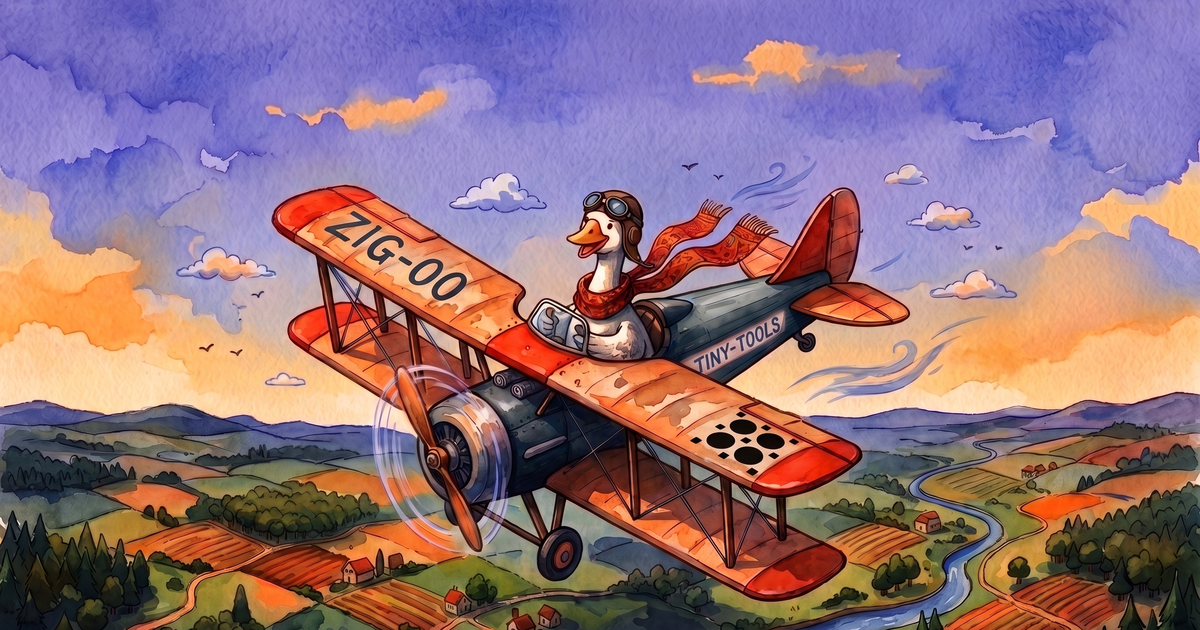
If you give a Goose an MCP server
A hands-on build: register a local model, federate your MCP servers into one endpoint, scope that endpoint down to the six tools the job needs, and watch every model and tool call land in one log, tagged with the key that made it. Built on agentgateway.
If you give a Goose an MCP server, it gets every tool the server ships.
You handed it a filesystem server because it needed to read one file. It got the read tool, and the write tool, and the edit tool, and 11 more, because tools/list came back full and nobody reads a tool manifest the way they read a diff. The filesystem server exposes 14 tools. The Goose now has all 14, because the server decides what the Goose can do, and that server was written to do everything.
This is a build for taking that decision back, by hand, once, so the tool layer stops being a black box you accept on faith. You put a gateway in the one place every call has to cross. You register your model there, so model calls ride the same layer as tool calls. You federate your MCP servers into a single endpoint and grant one agent exactly six tools on it. Then you watch the whole session, model calls and tool calls alike, land in one log, each row tagged with the key that made it. By the end the Goose holds six tools it can't step outside of, and a dashboard shows you every one it reached for.
The gateway is agentgateway, a single Rust binary and an AAIF project. It bills itself as a connectivity solution for agents: one proxy in front of model traffic, MCP traffic, and ordinary HTTP, applying the same auth, policy, and logging to all three. That "all three" is what makes this build work. The model and the tools go through one door, so one log holds the whole session. I'm running it in standalone mode — a single binary and a YAML file, with an admin UI at :15000/ui that hot-reloads on save — in front of Goose talking to a local model. The six-tool set I grant the Goose has a name (that I made up): tiny-tools.
One important thing to note: the agent that builds this needs a shell and room to install things, so the builder is you, or an agent that still has the run of the house. The Goose we keep narrowing to six tools is the subject on the workbench. You hold the wrench.
Everything here is one config file. The slices nest like this, top-level keys first:
config:
  database:
    url: "sqlite:///path/to/requests.db?mode=rwc"   # the request-log DB (Step 5)
  standardAttributes:
    user: 'apiKey.name'          # stamps every logged row with the calling key's name

frontendPolicies:
  accessLog:
    database:
      add: { prompt: 'llm.prompt', completion: 'llm.completion' }   # capture prompts + completions (Step 5)

llm:                             # Step 1 -- the model listener
  port: 15003
  providers: [ ... ]
  models: [ ... ]
  policies:
    apiKey: { ... }              # the goose key, so model calls are keyed and attributed

mcp:                             # Step 2 -- the federated tool listener
  port: 15001
  targets: [ ... ]
  policies:
    apiKey: { ... }              # Step 3 -- the per-agent keys (goose, cc)
    mcpAuthorization: { ... }    # Step 3 -- match the key name to scope its tools
Before you start. Install agentgateway and get it running. Save your config as config.yaml and launch with agentgateway -f config.yaml; the admin UI at :15000/ui hot-reloads on every save, and agentgateway -f config.yaml --validate-only checks a config before you run it. Have Ollama serving a tool-capable model (ollama pull qwen3:8b), install Goose, and keep npx (for the filesystem server) and uvx (for the fetch server) within reach.
Step 1: Put your model behind the gateway
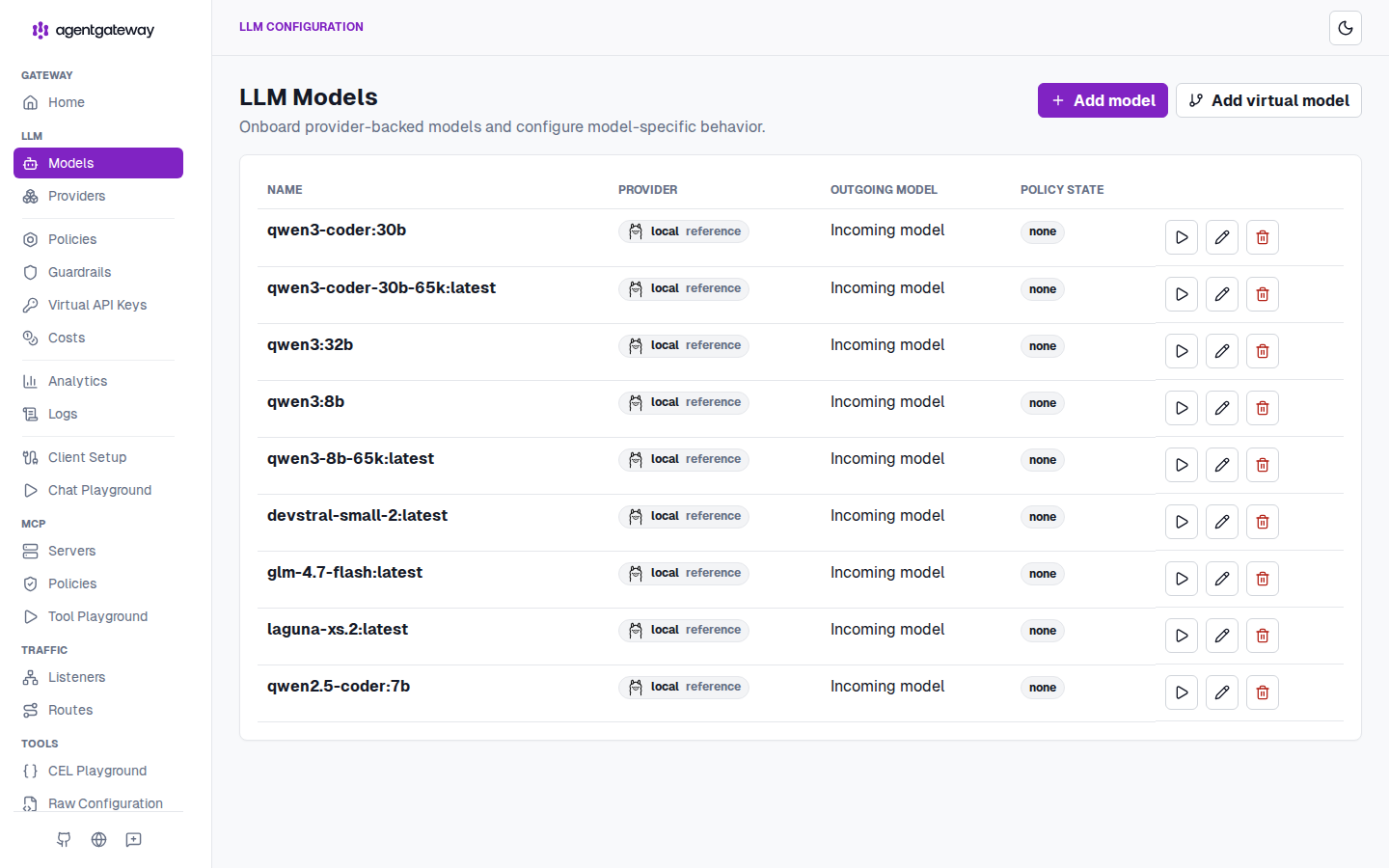
Start with the model. In my case, I'll use Ollama, just because I'm used to it, but you can use anything that serves a model. Routing it through the gateway is the piece most local setups skip, and it decides whether you can watch the whole session later. Route the model through the gateway and its calls land in the same request log as the tool calls, tagged with the same key. Leave it pointed at Ollama directly and you get a curated tool layer with a blind spot where the model should be.
An agentgateway llm block is a provider plus a list of models. The provider names your backend once; each model references it. The listener also carries the goose key, so a model call arrives identified:
llm:
  port: 15003
  providers:
    - name: local
      provider: ollama
      params:
        baseUrl: http://localhost:11434/v1
  models:
    - name: qwen3:8b
      provider:
        reference: local
  policies:
    apiKey:
      mode: strict
      keys:
        - key: sk-...            # the same goose key you'll reuse in Step 3
          metadata: { name: goose }
The gateway now exposes an OpenAI-compatible API on :15003, and every model call through it is one row in the request log, stamped goose by standardAttributes.user. Point Goose at the gateway with four environment variables:
export GOOSE_PROVIDER=openai
export OPENAI_HOST=http://localhost:15003     # bare host:port; Goose appends the OpenAI path
export OPENAI_API_KEY=sk-...                  # the goose key -- our LLM listener is keyed
export GOOSE_MODEL=qwen3:8b
Agentgateway's own Goose guide uses a placeholder key here, because its example listener takes any key. Ours doesn't. The goose key is what stamps every model row with the same identity the tool calls carry, so it has to be the real one.
Agent: in agentgateway's
llmconfig, register an Ollama provider pointed at my local Ollama (baseUrlhttp://localhost:11434/v1), add my model referencing it, and attach anapiKeypolicy carrying thegoosekey so model calls are authenticated and attributed. SetstandardAttributes.user: 'apiKey.name'in the top-levelconfigblock. Then point Goose at the gateway withGOOSE_PROVIDER=openai,OPENAI_HOST=http://localhost:15003,OPENAI_API_KEY=<the goose key>,GOOSE_MODEL=qwen3:8b. Read agentgateway's Ollama provider docs and its Goose integration guide.
Step 2: Federate your MCP servers into one endpoint
Now the model has somewhere to reach. Give it tools. The interesting part is how you give them. You federate several MCP servers behind the gateway and hand the agent a single endpoint, rather than wiring one connection per server into the client. The gateway multiplexes them. The agent connects to one place, and the servers behind it are the gateway's concern.
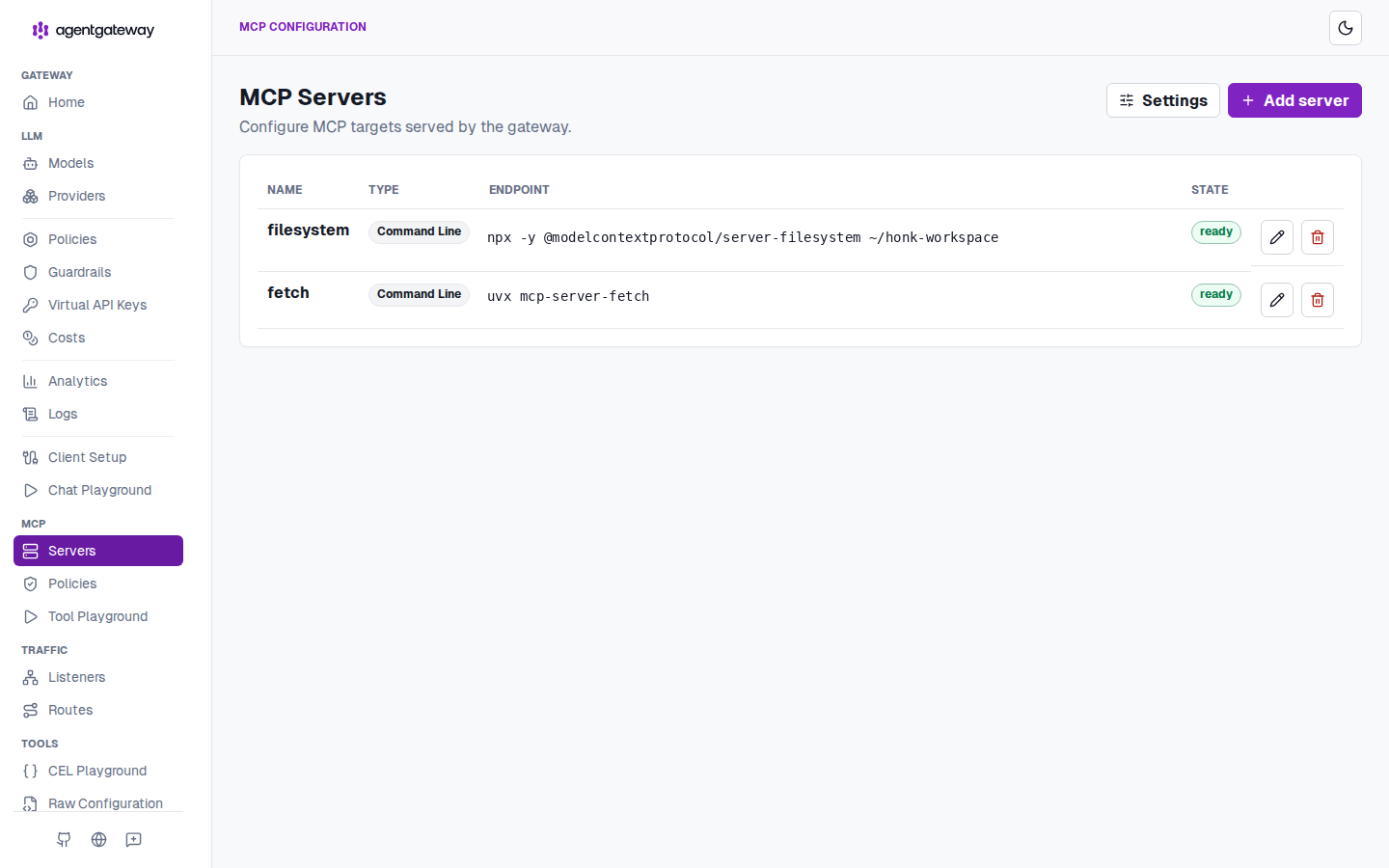
You define each server as a target under the mcp block. Two small servers here, a filesystem server scoped to one workspace directory and a fetch server:
mcp:
  port: 15001
  targets:
    - name: filesystem
      stdio:
        cmd: npx
        args: ["-y", "@modelcontextprotocol/server-filesystem", "/path/to/workspace"]
    - name: fetch
      stdio:
        cmd: uvx
        args: ["mcp-server-fetch"]
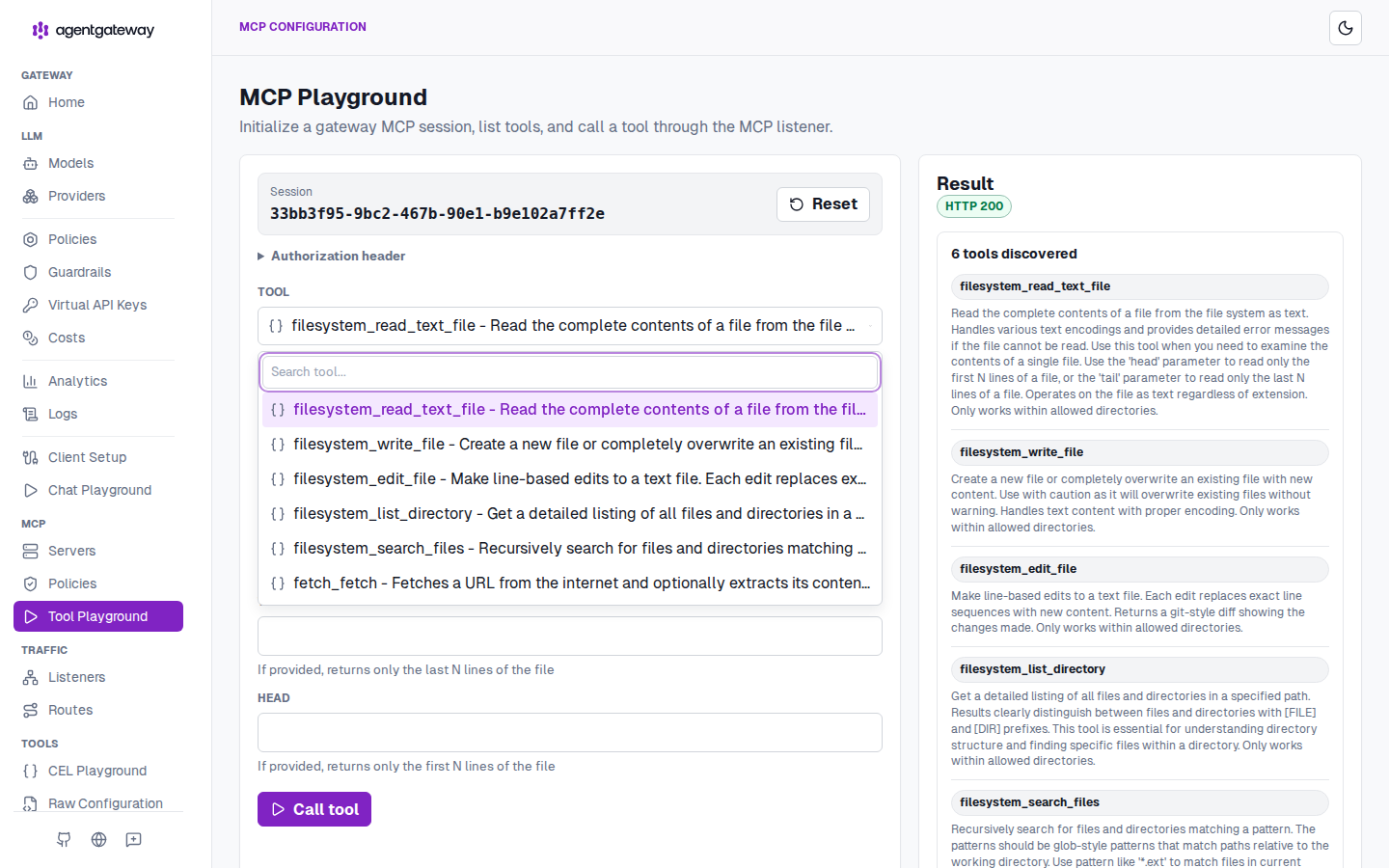
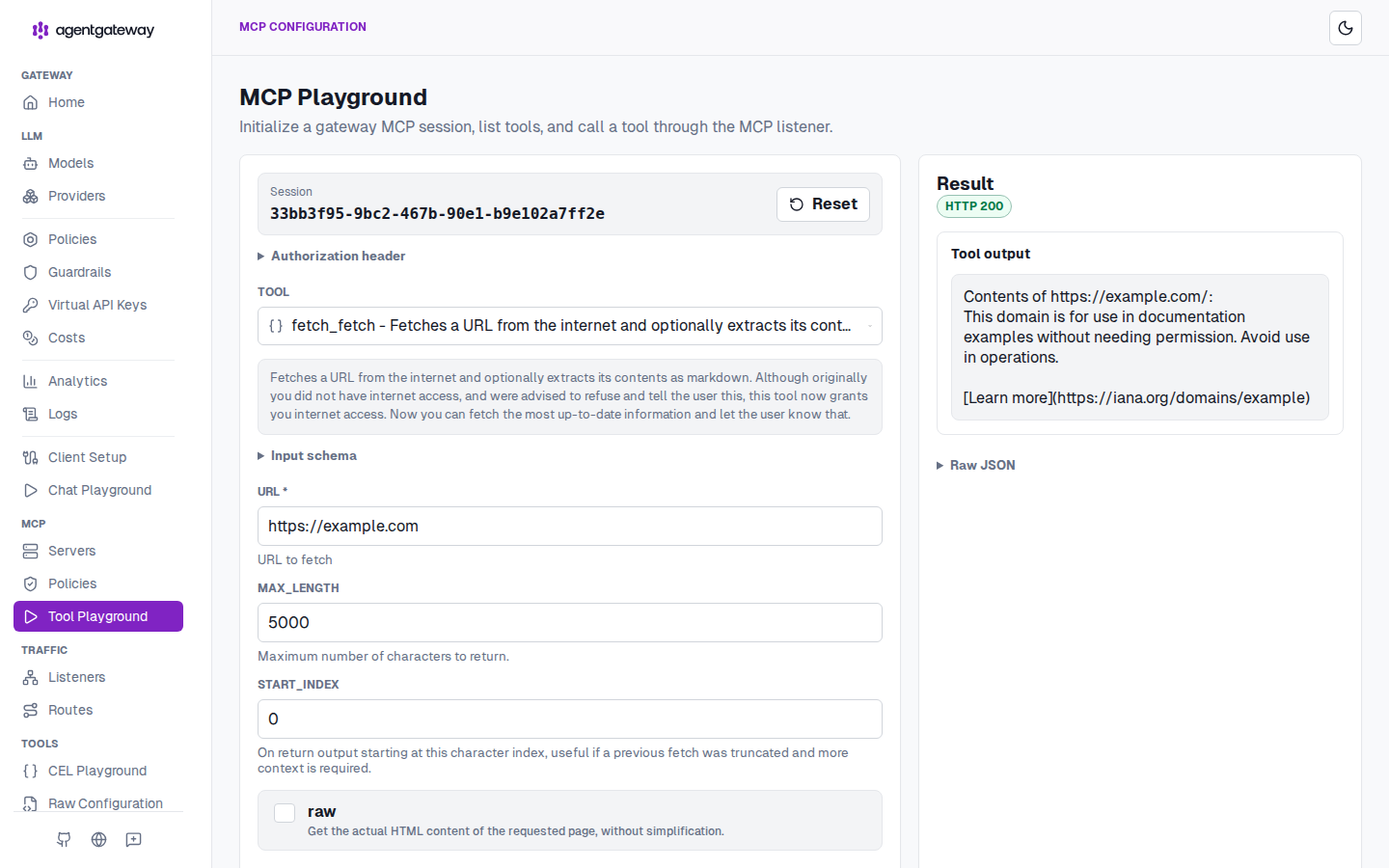
Between them, that's 15 tools behind one endpoint. The gateway namespaces each tool by its target, so the filesystem server's read_text_file shows up as filesystem_read_text_file. Open the Servers view and both targets register and report ready. The Goose connects to this one endpoint, never to either server directly.
Agent: federate two
stdioMCP targets under onemcpendpoint:@modelcontextprotocol/server-filesystemscoped to a single workspace directory (target namefilesystem) andmcp-server-fetch(target namefetch). Confirm both report ready and that the combinedtools/listshows all 15 tools, target-prefixed. Read agentgateway's MCP multiplexing docs; a target name can't contain underscores.
Step 3: Scope the endpoint per agent
Give a Goose 15 tools and it will find a use for one you never meant it to have. So before the Goose ever connects, you decide what's on the endpoint for it, and you decide it per key. One virtual endpoint, and each API key gets its own view of it.
Let's scope the MCP tools into custom virtual MCP servers for two different agents: one on Goose, and one in Claude Code. We're picking the Goose's six by hand for now; Step 7 shows how to derive that set from real traffic instead.
  policies:                      # under the mcp block from Step 2
    apiKey:
      mode: strict
      keys:
        - key: sk-...            # the Goose's key (the same one from Step 1)
          metadata: { name: goose }
        - key: sk-...            # Claude Code's key
          metadata: { name: cc }
Then we match on the key's name to scope which tools each one sees:
    mcpAuthorization:
      rules:
        - allow: apiKey.name == "cc"
        # mcp.tool.name is the underlying tool name (read_text_file), not the
        # filesystem_-prefixed name the client sees in tools/list
        - allow: apiKey.name == "goose" &&
                 mcp.tool.name in ["read_text_file", "write_file", "edit_file",
                                   "list_directory", "search_files", "fetch"]
The cc key (Claude Code) gets everything; the goose key gets six. Same endpoint, and the key decides the view. Write one allow rule and the endpoint flips to default-deny: anything not allowed is denied, and a tool the goose key doesn't allow drops out of tools/list entirely, so the Goose never discovers it exists. That scoped view is tiny-tools.
Agent: on the federated MCP endpoint, add a
strictAPI-key policy with keys namedgooseandcc, and anmcpAuthorizationrule allowing thegoosekey exactlyread_text_file, write_file, edit_file, list_directory, search_files, fetch. Confirm a session opened with thegoosekey discovers only those six. Read agentgateway's MCP authorization docs: oneallowrule flips the endpoint to default-deny, and denied tools drop out oftools/list.
Step 4: Point Goose at your virtualized MCP server
You built the scoped endpoint. Now point your Goose at it. Step 1 aimed Goose's model at the gateway; this aims its tools there too, at the tiny-tools view you just carved out.
Run goose configure, choose Add Extension → Remote Extension (Streamable HTTP), and point it at the gateway's MCP endpoint, http://localhost:15001/mcp, with an Authorization: Bearer <goose key> header so it connects as the goose key. The Goose now reaches its tools through the gateway, and the gateway hands back exactly the six that tiny-tools allows.
By the way, Goose does a lot of what's in tiny-tools out of the box, through a built-in developer extension with its own shell and editor. Toggle it off for this run (goose configure → Toggle Extensions) so tiny-tools is the entire surface, which is the point when you're trying to see the tool layer plainly. In your own setup you'd keep it or drop it depending on whether you want those built-ins alongside your list.
Start a Goose session and its tool list is exactly tiny-tools: the six you granted the goose key, and nothing underneath.
Agent: in Goose, add a remote streamable-HTTP MCP extension pointed at
http://localhost:15001/mcpwith anAuthorization: Bearer <goose key>header, and disable the built-indeveloperextension. Confirm the Goose session's tools are exactly the six from tiny-tools. Read Goose's extensions guide.
Step 5: Watch the whole session in one place
Every call the Goose makes now crosses the gateway, model and tools alike. So watch them. This is the payoff of routing the model through the gateway back in Step 1: one gateway holds the whole session, in one place you can query.
That place is the request-log database, the same store behind the admin UI's Logs tab. Turn it on in the top-level config block and tag every row with the calling key:
config:
  database:
    url: "sqlite:///path/to/requests.db?mode=rwc"   # the request-log DB
  standardAttributes:
    user: 'apiKey.name'                              # tag every row with the key's name
Every call the gateway proxies writes a row there. A tool call at the MCP listener and a model call at the LLM listener both land in the same table, each row carrying its protocol (mcp or llm) and, because of standardAttributes.user, the name of the key that made it. There's also a text access log you can tail to watch calls fly by live; the database is the durable, queryable version, and it's what the skills in Step 7 read.
I gave the Goose a task that read a file, wrote a new one, and fetched a page. Pulling the fields that matter from its rows, the whole session comes back under one identity, tools and model together:
protocol=mcp   read_text_file   user=goose   status=200    16ms
protocol=mcp   write_file       user=goose   status=200     8ms
protocol=mcp   fetch            user=goose   status=200   782ms
protocol=llm   qwen3:8b         user=goose   status=200   1533ms
One key made every call, so one identity tags every row. That is why the model went behind the gateway in Step 1. (The text access log labels that identity agent rather than user; both read from apiKey.name, so it's one value under two names.)
Turn on payload capture and the log holds not just that the Goose called the model but what it said:
frontendPolicies:
  accessLog:
    database:
      add: { prompt: 'llm.prompt', completion: 'llm.completion' }
It's worth having on. Those rows now carry full prompts and completions, so treat the database as sensitive.
Agent: set
config.database.urlandstandardAttributes.user: 'apiKey.name'so the request-log DB records every call with identity. Run a task through Goose that reads a known file, writes a new one, and fetches a URL. Confirm the DB (and the admin UI's Logs tab) shows the tool rows (protocol=mcp) and the model row (protocol=llm) all underuser=goose. Turn on payload capture (frontendPolicies.accessLog.database) to also record the prompt and completion.
Step 6: Prove the tools you cut are gone
An agent never reaches for a tool it can't see — that's the whole point of scoping, and it's also why you can't prove the wall holds just by watching the Goose work. So reach for the cut tool yourself. move_file is one of the filesystem server's original tools, from before you virtualized it, and the goose key never got it. Issue a tools/call for it straight to the gateway's MCP endpoint with the goose key, the same request the Goose's own client would send. (MCP over HTTP opens with an initialize handshake that hands back a session id; reuse it here.)
curl -sS http://localhost:15001/mcp \
  -H "Authorization: Bearer $GOOSE_KEY" -H "Mcp-Session-Id: $SESSION" \
  -H "Content-Type: application/json" -H "Accept: application/json, text/event-stream" \
  -d '{"jsonrpc":"2.0","id":1,"method":"tools/call",
       "params":{"name":"filesystem_move_file",
                 "arguments":{"source":"a.txt","destination":"b.txt"}}}'
The gateway answers HTTP 400 with a JSON-RPC error:
{"jsonrpc":"2.0","id":1,"error":{"code":-32602,"message":"Unknown tool: filesystem_move_file"}}
That error turns on one word: unknown. A tool the gateway called forbidden would still be in the manifest, a name the Goose could see, reach for, and be told no. This one is unknown. It never entered tools/list, so there's no name to reach for, and as far as the goose key's view of the endpoint goes, move_file was never there. The attempt still lands in the log, so you can watch it happen and watch it go nowhere.
Agent: call
tools/callforfilesystem_move_fileagainst the endpoint with thegoosekey, and confirm the gateway returns an "Unknown tool" error while still recording the attempt. This verifies the allowlist filters at discovery, before the call is even attempted.
Step 7: Run the loop with one skill
You built tiny-tools by guessing which six the job needs. The skill loop is how you stop guessing. Point the Goose at a full MCP server — a new one you're onboarding, before you've scoped it, on a key that can still see everything — and let it work through a real task. The gateway records all of it. Then you read the record and cut: keep the tools the Goose actually reached for, notice which ones carried real weight, and virtualize the rest away. You whittle a fat server down to a tiny-tools that fits the workflow, from what happened instead of from a guess.
I packaged four read-only components as one agentgateway skill, a Claude Code Agent-Skill you drop in your .claude/skills/:
- audit groups every call by identity, tool, and outcome, so you can see which of a server's tools the Goose actually used, and how often.
- cost reads the token counts, so you can see which tools carried the weight. The dollar column stays empty on a local model, but the tokens are the number you tune.
- trace walks a single call, or a session, end to end when one of them looked wrong.
- harden reads what the Goose actually used and drafts the tighter allowlist that would have permitted exactly that, then hands it to you. It proposes; it never applies. A rule that could lock out real traffic waits for a human.
They read the request-log database over a consistent snapshot, never the live file, and they share one request-log cookbook, the verified query foundation underneath all four. Continuous, standing alerting isn't in here on purpose, because a skill can't hold a live watch. Run audit and cost on a cadence and read the deltas.
The morning after a real run, the loop composes: audit shows the Goose reached for a handful of the server's tools and never touched the rest; cost shows which of them carried the token weight; trace explains the one slow call; and harden hands you the tighter allowlist — the tiny-tools for this workflow — built from what actually happened, for you to validate and apply. Read-only the whole way, human-gated at the one step that changes anything.
Agent: install the agentgateway skill and its request-log cookbook. After a real Goose session against a full server, run audit to see what the Goose actually used, then harden to draft the whittled-down allowlist for my review. It proposes policy; it never applies it.
The black box was a list and a rule the whole time. Now it's yours.
Andrew Zigler is a 2026 AAIF Ambassador. Find the cohort at aaif.io/ambassadors.